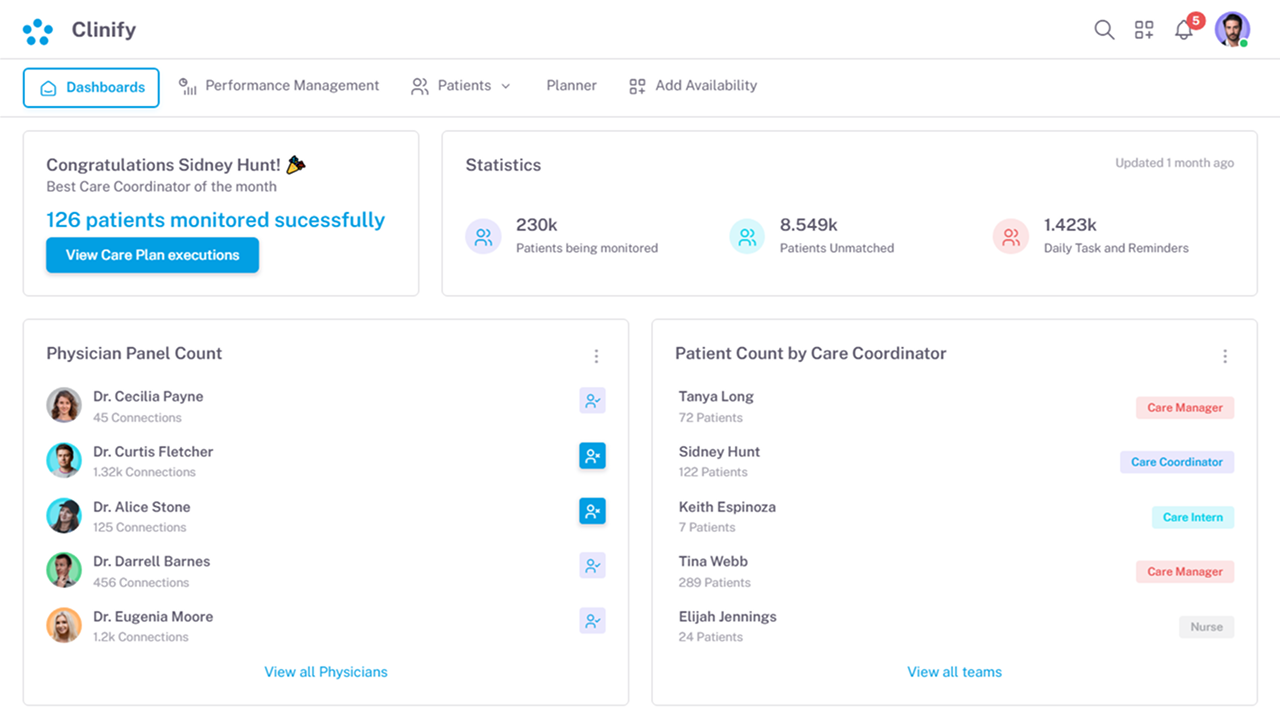
Clinify — Designing a Healthcare Operations Platform

Product Design · Healthcare UX · Workflow Design · Information Architecture · Design Systems

Designing for Complex Healthcare Workflows

Healthcare teams work with large amounts of patient information, but the challenge isn’t simply displaying more data.

The real challenge is helping care teams understand what happened, what needs attention, where they are in the care process, and what should happen next.

At Clinify, I worked on experiences that brought patient information, assessments, care plans, communications and operational workflows into a more connected workspace.

My focus was on reducing unnecessary complexity while keeping the depth of information required by healthcare professionals.

Making the Patient Journey Visible

Healthcare teams often need to understand not just a patient’s current status, but how they arrived there.

I designed a patient timeline that brings the patient’s journey into a single chronological view—connecting registration, communications, assessments, care activities and other significant events.

Instead of forcing care teams to reconstruct the patient’s history from separate screens, the timeline creates a continuous narrative of the patient’s interaction with the healthcare system.


Patient timeline — creating a continuous view of the patient’s journey and activity over time.


Instead of forcing care teams to reconstruct the patient’s history from separate screens, the timeline creates a continuous narrative of the patient’s interaction with the healthcare system.

Designing the Patient Timeline

The challenge was not simply to create a chronological list of events.

A patient’s history can contain a large amount of information accumulated over time. The interface therefore needed to make the information scannable, meaningful and connected to the patient’s current situation.

I structured the experience around a simple set of questions:

What happened?

When did it happen?

What changed?

How does it relate to the patient’s ongoing care?

Structuring patient history into a visual, chronological experience.

The timeline helped transform fragmented information into a single view of the patient’s journey, giving care teams greater context when reviewing the patient record.

From Patient History to Patient Context

The timeline was part of a larger patient workspace.

Rather than treating history, assessment, quality measures and social determinants of health as completely separate destinations, the patient profile brought these areas together within the same context.

Patient profile — combining patient context with access to related care information.

The profile provided a starting point from which care teams could move into more detailed areas of the patient’s record.

This created a progression from:

Patient History → Patient Context → Assessment → Care Planning

Structuring the Care Journey

Understanding the patient’s history is only one part of the workflow.

Care teams also need to know where a patient is within the overall care process.

I explored a patient workspace that combined patient information with a progressive care workflow.

The workflow was organised into distinct stages:

Verification → Data Collection → Patient Engagement → Care Plan → Review & Submit

Care workflow navigator — making the patient’s progress through the care process visible.

The workflow provided a structural layer above the individual patient tasks, helping users understand both where they were and what came next.

Turning the Care Journey into an Interactive Workflow

A workflow indicator is useful for showing progress, but care teams also need to act within each stage.

I designed each stage to become an interactive task flow when selected.

Instead of exposing every task at once, the interface reveals the relevant actions and completion states for the selected stage.

Stage-level workflow interaction — turning a care stage into an actionable task flow.

For example, the verification stage could contain activities such as:

First Call

Second Call

Call Not Responded

Each activity could be tracked through its completion state.

The Previous / Next controls allowed users to progress through the workflow without repeatedly returning to the main patient view.

Designing for Progressive Disclosure

The interaction followed a simple principle:

Show the structure first. Reveal the detail when it is needed.

The main patient profile establishes the overall workflow.

Selecting a stage then reveals the tasks associated with that stage.

This creates three connected levels of context:

Patient Context

The patient’s overall record and current information.

Workflow Context

The patient’s position within the care journey.

Task Context

The specific actions required at the selected stage.

This approach allowed the interface to remain focused while still supporting detailed operational workflows.

From History to Care Planning

A patient’s history becomes valuable when it helps inform what happens next.

I designed the surrounding workflows so that information could move from patient history and assessment into ongoing care management.

Assessment — moving from patient context into detailed evaluation.

Care planning — translating patient information into ongoing care activities.

Together, these experiences created a connection between:

History → Assessment → Care Plan

rather than treating each area as an isolated function.